
Οδοντιατρικές Υπενθυμίσεις Ραντεβού: Πλήρης Οδηγός 2026
Πώς να μειώσετε τις ακυρώσεις με SMS υπενθυμίσεις, recall καθαρισμού και αυτοματισμούς — χρόνος, μηνύματα και παραδείγματα
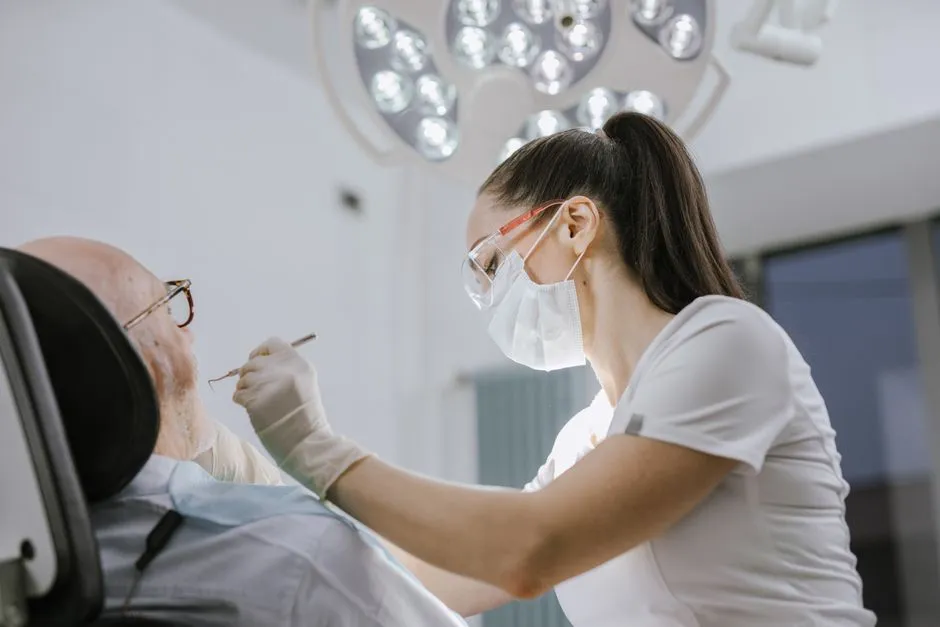
Οι οδοντιατρικές υπενθυμίσεις ραντεβού είναι αυτόματα μηνύματα — συνήθως SMS — που ειδοποιούν τον ασθενή για το επερχόμενο ραντεβού του και του ζητούν να επιβεβαιώσει, να ακυρώσει ή να αλλάξει ώρα. Η πιο αποτελεσματική προσέγγιση είναι μια ακολουθία δύο μηνυμάτων: μία υπενθύμιση 48-72 ώρες πριν και μία ελαφριά την ημέρα του ραντεβού. Τα οδοντιατρεία που εφαρμόζουν αυτόματες υπενθυμίσεις βλέπουν τις ακυρώσεις (no-shows) να πέφτουν δραστικά, καθώς το SMS διαβάζεται μέσα σε λίγα λεπτά και δίνει στον ασθενή έναν εύκολο τρόπο να επικοινωνήσει.
Τι Είναι οι Οδοντιατρικές Υπενθυμίσεις Ραντεβού
Μια οδοντιατρική υπενθύμιση είναι ένα σύντομο, αυτοματοποιημένο μήνυμα που στέλνεται πριν το ραντεβού και περιέχει την ημερομηνία, την ώρα, το όνομα του οδοντιάτρου και μια ξεκάθαρη κλήση προς δράση (επιβεβαίωση ή αλλαγή ώρας). Σε αντίθεση με το χειροκίνητο τηλεφώνημα, οι υπενθυμίσεις μέσω πλατφόρμας φεύγουν αυτόματα στον σωστό χρόνο, χωρίς να επιβαρύνουν τη γραμματεία. Υπάρχουν τρεις βασικοί τύποι: η επιβεβαίωση κράτησης (αμέσως μετά το κλείσιμο), η υπενθύμιση πριν το ραντεβού, και η υπενθύμιση recall για τον επόμενο προληπτικό καθαρισμό.
Ο μηχανισμός είναι απλός, αλλά η επίδραση μεγάλη. Αντί η γραμματεία να τηλεφωνεί σε κάθε ασθενή την προηγούμενη μέρα — κάτι που εύκολα παραλείπεται όταν το πρόγραμμα είναι γεμάτο — το σύστημα στέλνει κάθε μήνυμα μόνο του. Αυτή η συνέπεια είναι το ζητούμενο: οι υπενθυμίσεις αποδίδουν μόνο όταν φτάνουν κάθε φορά, σε κάθε ασθενή, ανεξάρτητα από το πόσο φορτωμένη είναι η ημέρα. Η πλατφόρμα αφαιρεί τον ανθρώπινο παράγοντα και μετατρέπει τις υπενθυμίσεις σε μια αξιόπιστη διαδικασία στο παρασκήνιο.
Το Οικονομικό Κόστος των Ακυρώσεων σε Οδοντιατρεία
Ας δούμε ένα τυπικό σενάριο. Ένα οδοντιατρείο με 2 έδρες και γεμάτο πρόγραμμα χάνει έσοδα κάθε φορά που ένας ασθενής δεν εμφανίζεται. Ακόμα και λίγα no-shows τη μέρα, με την υψηλή αξία ανά ραντεβού, αθροίζονται γρήγορα σε σημαντικό ποσό — ένα κόστος που δύσκολα αναπληρώνεται. Για μεγαλύτερα οδοντιατρεία ή κλινικές, το ποσό πολλαπλασιάζεται.
Η ζημιά δεν είναι μόνο οικονομική. Κάθε χαμένο ραντεβού σημαίνει μη αξιοποιημένο χρόνο οδοντιάτρου και βοηθού, αναλώσιμα που ετοιμάστηκαν χωρίς λόγο, και ασθενείς σε λίστα αναμονής που θα μπορούσαν να εξυπηρετηθούν. Επιπλέον, ένας ασθενής που χάνει το ραντεβού του συχνά αναβάλλει την προληπτική φροντίδα, με αποτέλεσμα χειρότερη στοματική υγεία και απώλεια ασθενών από το πελατολόγιο.
Ας αντιστρέψουμε τους αριθμούς. Αν οι υπενθυμίσεις μειώσουν τα no-shows, ανακτάτε ραντεβού που αλλιώς θα χάνονταν — και η αξία τους ξεπερνά κατά πολύ το κόστος των υπενθυμίσεων. Οι ίδιες οι υπενθυμίσεις κοστίζουν λεπτά: με €0,06 ανά SMS, ακόμα και τρία μηνύματα για κάθε έναν από τους 16 ημερήσιους ασθενείς κοστίζουν κάτω από €3 τη μέρα. Η απόδοση μερικών ευρώ σε μηνύματα είναι από τις υψηλότερες σε όλο το οδοντιατρείο.
Γιατί Ακυρώνουν οι Ασθενείς στο Οδοντιατρείο
Οι λόγοι ακύρωσης στα οδοντιατρεία είναι ιδιαίτεροι σε σχέση με άλλους κλάδους:
- Οδοντιατρικό άγχος και φοβία — ο κυριότερος λόγος. Ο ασθενής κλείνει ραντεβού με καλή πρόθεση αλλά όσο πλησιάζει η ημερομηνία, η ανησυχία αυξάνεται και τελικά δεν εμφανίζεται. Ο φόβος του οδοντιάτρου είναι ιδιαίτερα διαδεδομένος.
- Ξεχνούν — ιδίως ραντεβού κλεισμένα 3-6 μήνες πριν (π.χ. εξαμηνιαίος καθαρισμός).
- Ο πόνος πέρασε — κυρίως σε περιπτώσεις πονόδοντου. Μόλις ο πόνος υποχωρήσει, ο ασθενής αναβάλλει.
- Κόστος θεραπείας — ανησυχία για το οικονομικό κόστος, ειδικά σε πιο σύνθετες εργασίες.
- Δυσκολία συντονισμού — ιδίως για εργαζόμενους που πρέπει να πάρουν άδεια ή να βρουν μεταφορά.
Πότε να Στέλνετε Υπενθυμίσεις: Ο Ιδανικός Χρόνος
Ο χρόνος αποστολής είναι καθοριστικός. Η αποδεδειγμένα πιο αποτελεσματική ακολουθία είναι:
- Επιβεβαίωση κράτησης — αμέσως μόλις κλειστεί το ραντεβού, ώστε ο ασθενής να έχει τα στοιχεία γραπτώς.
- Πρώτη υπενθύμιση — 48 έως 72 ώρες πριν, δίνοντας χρόνο για αναπρογραμματισμό αν χρειαστεί.
- Δεύτερη υπενθύμιση — το πρωί της ίδιας ημέρας, ως ελαφριά τελική ειδοποίηση.
- Recall — εβδομάδες ή μήνες αργότερα, για τον επόμενο προληπτικό έλεγχο.
Περισσότερα από δύο-τρία μηνύματα ανά ραντεβού αρχίζουν να ενοχλούν. Το ζητούμενο είναι η σαφήνεια, όχι η ποσότητα. Για ραντεβού υψηλής αξίας ή για νέους ασθενείς, η επιβεβαίωση συν δύο υπενθυμίσεις αρκούν· για έναν απλό καθαρισμό, μία υπενθύμιση 48 ωρών συχνά είναι αρκετή. Προσαρμόστε τη συχνότητα στον τύπο της επίσκεψης αντί να στέλνετε σε όλους την ίδια ακολουθία.
SMS, Email ή Τηλέφωνο; Επιλέγοντας το Σωστό Κανάλι
Κάθε κανάλι έχει ρόλο, αλλά δεν είναι ισοδύναμα. Το SMS είναι το βασικό εργαλείο: διαβάζεται σχεδόν αμέσως, δεν απαιτεί τίποτα περισσότερο από μια ματιά στο κινητό και επιτρέπει μια απάντηση με μία λέξη. Το email είναι χρήσιμο για πιο εκτενείς οδηγίες πριν το ραντεβού (έντυπα, τι να φέρει ο ασθενής, στάθμευση), αλλά πολύ πιο πιθανό να αγνοηθεί. Το τηλεφώνημα είναι το πιο προσωπικό και ιδανικό για περιπτώσεις υψηλής αξίας ή για ασθενείς που έχουν ήδη χάσει ραντεβού.
Η πιο αποτελεσματική στρατηγική τα συνδυάζει σε ακολουθία αντί να τα στέλνει όλα μαζί: ξεκινήστε με SMS και κάντε τηλεφώνημα μόνο όταν ο ασθενής δεν απαντά. Έτσι κρατάτε χαμηλό το κόστος — οι περισσότεροι επιβεβαιώνουν με μήνυμα — και αφήνετε τον χρόνο της γραμματείας για τις λίγες περιπτώσεις που πραγματικά χρειάζονται ανθρώπινη επαφή.
Πώς τα SMS Υπενθυμίσεις Αντιμετωπίζουν Κάθε Λόγο
Τα SMS υπενθυμίσεις δεν εξαλείφουν μόνο τη λήθη — αντιμετωπίζουν πολλαπλούς λόγους ακύρωσης. Μια υπενθύμιση 48 ώρες πριν δίνει στον ασθενή χρόνο να οργανωθεί, ενώ μια δεύτερη την ημέρα του ραντεβού επιβεβαιώνει τη δέσμευση. Το σημαντικότερο: ένα φιλικό SMS μειώνει το αίσθημα ντροπής για ακύρωση. Αντί να μην εμφανιστεί, ο ασθενής μπορεί απλά να απαντήσει ή να τηλεφωνήσει — και έτσι σας δίνει χρόνο να γεμίσετε το κενό από τη λίστα αναμονής.
Για τον αγχωμένο ασθενή, μια ήρεμη υπενθύμιση εξομαλύνει την επίσκεψη και αφαιρεί τον φόβο ενός άβολου τηλεφωνήματος. Για τον ασθενή που του πέρασε ο πονόδοντος, η υπενθύμιση επαναπλαισιώνει το ραντεβού ως προληπτικό και όχι προαιρετικό. Και για τον εργαζόμενο, το να γνωρίζει το ραντεβού εκ των προτέρων διευκολύνει να κανονίσει άδεια. Ένα μικρό μήνυμα εξουδετερώνει διακριτικά πολλούς διαφορετικούς λόγους ακύρωσης.
Μετατρέποντας ένα Χαμένο Ραντεβού σε Νέα Κράτηση
Κανένα σύστημα δεν πιάνει τους πάντες, οπότε αυτό που γίνεται μετά από ένα no-show μετράει εξίσου. Ένα follow-up την ίδια μέρα — "Σας περιμέναμε σήμερα, θέλετε να κλείσουμε νέο ραντεβού;" — ανακτά ασθενείς που αλλιώς θα απομακρύνονταν από ντροπή ή αδράνεια. Σε συνδυασμό με μια ενεργή λίστα αναμονής, μόλις ανοίξει μια θέση, ένα αυτόματο μήνυμα μπορεί να καλύψει το κενό μέσα σε λίγη ώρα.
Εξατομίκευση: Μην Ακούγεστε σαν Ρομπότ
Η αυτοματοποίηση δεν σημαίνει απρόσωπα μηνύματα. Όταν το SMS περιλαμβάνει το όνομα του ασθενή, το όνομα του οδοντιάτρου και τα συγκεκριμένα στοιχεία του ραντεβού, ο ασθενής νιώθει ότι τον αναγνωρίζουν — και τα ποσοστά επιβεβαίωσης ανεβαίνουν. Μια καθαρή κλήση προς δράση όπως "Απαντήστε ΝΑΙ για επιβεβαίωση" αυξάνει σημαντικά τις απαντήσεις. Κρατήστε τον τόνο ζεστό και ανθρώπινο — η υπενθύμιση είναι και ένα μικρό σημείο επαφής που διαμορφώνει την εικόνα του ασθενή για το οδοντιατρείο σας.
Η γλώσσα μετράει επίσης. Στην Ελλάδα και την Κύπρο, η αποστολή του μηνύματος στη γλώσσα του ασθενή είναι βασική ευγένεια που βελτιώνει την κατανόηση και την ανταπόκριση. Μια πλατφόρμα που υποστηρίζει δίγλωσσα πρότυπα σας επιτρέπει να απευθύνεστε σε κάποιους στα Ελληνικά και σε άλλους στα Αγγλικά χωρίς χειροκίνητη επαναδιατύπωση.
Επαναλαμβανόμενα Ραντεβού και Recall Καθαρισμού
Η οδοντιατρική βασίζεται σε κύκλους: εξαμηνιαίος καθαρισμός, σειρά ραντεβού για ενδοδοντική θεραπεία, follow-up μετά από εμφύτευμα, ορθοδοντικοί έλεγχοι. Το recall — η υπενθύμιση για τον επόμενο προληπτικό καθαρισμό — είναι ίσως ο πιο κερδοφόρος αυτοματισμός, καθώς κρατά το πελατολόγιο ενεργό και επαναφέρει ασθενείς που αλλιώς θα χάνονταν.
Με το Wiiz, μπορείτε να προγραμματίσετε σειρές ραντεβού εκ των προτέρων και η πλατφόρμα στέλνει αυτόματα υπενθύμιση πριν από κάθε συνεδρία, καθώς και recall στον σωστό χρόνο. Δεν χρειάζεται να θυμάστε εσείς να στείλετε — το σύστημα φροντίζει αυτόματα. Αυτό είναι ιδιαίτερα χρήσιμο για θεραπείες πολλαπλών ραντεβού, όπου η εγκατάλειψη μετά τη δεύτερη ή τρίτη συνεδρία είναι συχνό φαινόμενο.
Η οικονομική σημασία του recall συχνά υποτιμάται. Ένα τυπικό οδοντιατρείο χάνει σιωπηλά ένα σημαντικό μέρος του πελατολογίου του κάθε χρόνο, απλώς επειδή κανείς δεν επικοινώνησε για να κλείσει τον επόμενο έλεγχο. Ένα μήνυμα recall των έξι λεπτών μπορεί να ανακτήσει έναν ασθενή αξίας εκατοντάδων ευρώ σε επισκέψεις διά βίου — και ένας ασθενής που επιστρέφει τακτικά είναι πολύ πιο πιθανό να αποδεχθεί μεγαλύτερα πλάνα θεραπείας όταν χρειαστεί.
Πώς να Στήσετε Υπενθυμίσεις (Βήμα προς Βήμα)
Η εκκίνηση είναι πιο απλή από όσο νομίζουν τα περισσότερα οδοντιατρεία. Πρώτον, συγκεντρώστε το πελατολόγιό σας με τα κινητά τηλέφωνα — το τηλέφωνο είναι το σημείο που συνδέει κάθε υπενθύμιση με τον σωστό ασθενή. Δεύτερον, γράψτε δύο-τρία σύντομα πρότυπα με πεδία για όνομα, ημερομηνία, ώρα και οδοντίατρο, ώστε κάθε μήνυμα να εξατομικεύεται μόνο του. Τρίτον, ορίστε τη συχνότητα: επιβεβαίωση στην κράτηση, υπενθύμιση 48-72 ώρες πριν, και μια ειδοποίηση την ίδια ημέρα.
Τέταρτον, ρυθμίστε τα διαστήματα recall — συνήθως έξι μήνες για τακτική υγιεινή — ώστε το σύστημα να επαναφέρει ασθενείς αυτόματα χωρίς να παρακολουθεί κανείς ημερομηνίες σε χαρτί. Τέλος, ενημερώστε τη γραμματεία πώς να διαβάζει τις επιβεβαιώσεις και να διαχειρίζεται τις απαντήσεις, ώστε ένα "δεν μπορώ να έρθω" να γίνεται νέα κράτηση αντί για άδεια έδρα. Μόλις ρυθμιστεί, όλη η ροή τρέχει στο παρασκήνιο και χρειάζεται μόνο περιστασιακό έλεγχο.
Παραδείγματα SMS για Οδοντιατρείο
Υπενθύμιση: "Υπενθύμιση: Έχετε ραντεβού αύριο Τετάρτη 21/03 στις 10:30 με τον Δρ. Παπαδόπουλο. Αν θέλετε να αλλάξετε ώρα, καλέστε μας στο 210-1234567. — Dental Care Clinic".
Recall καθαρισμού: "Καλημέρα κ. Γεωργίου! Πέρασαν 6 μήνες από τον τελευταίο σας καθαρισμό. Καλέστε μας στο 210-1234567 για να κλείσετε το ραντεβού σας. — Dental Care Clinic".
Σύγκριση με Άλλες Λύσεις
Πολλά οδοντιατρεία χρησιμοποιούν πλατφόρμες όπως Simplybook.me ή Altegio, αλλά συνήθως πληρώνουν μηνιαίο πάγιο (έλεγξε τους τρέχοντες όρους). Άλλοι στέλνουν SMS μέσω παρόχων χωρίς ολοκληρωμένη πλατφόρμα διαχείρισης. Η πλατφόρμα Treatwell εστιάζει σε κομμωτήρια και δεν καλύπτει τις ανάγκες ενός οδοντιατρείου.
Το Wiiz προσφέρει τον ιδανικό συνδυασμό: από τα πιο οικονομικά SMS της αγοράς (€0,06/SMS) μαζί με δωρεάν πλατφόρμα διαχείρισης που περιλαμβάνει ημερολόγιο ραντεβού, πελατολόγιο, λίστα αναμονής και SMS καμπάνιες. Κανένα πάγιο, καμία προμήθεια, κανένα συμβόλαιο — σχεδιασμένο για οδοντιατρεία στην Ελλάδα και την Κύπρο.
SMS Καμπάνιες για Οδοντιατρεία
Εκτός από υπενθυμίσεις, τα οδοντιατρεία μπορούν να χρησιμοποιήσουν SMS καμπάνιες για να υπενθυμίσουν σε ασθενείς τον εξαμηνιαίο καθαρισμό, να ενημερώσουν για νέες υπηρεσίες (λεύκανση, εμφυτεύματα), ή να στείλουν ευχές γενεθλίων. Αυτό ενισχύει τη σχέση με τον ασθενή και αυξάνει τις επαναλαμβανόμενες επισκέψεις. Με το Wiiz, κάθε SMS κοστίζει μόλις €0,06.
Μέτρηση και Βελτιστοποίηση του Συστήματος
Ένα σύστημα υπενθυμίσεων δεν είναι "ρύθμισε και ξέχνα" — βελτιώνεται όταν παρακολουθείτε τους αριθμούς. Καταγράψτε το ποσοστό no-show πριν και μετά τις υπενθυμίσεις, το ποσοστό επιβεβαίωσης ανά μήνυμα και πόσες ακυρώσεις καλύπτετε από τη λίστα αναμονής. Αν μια συγκεκριμένη ώρα ή υπηρεσία εξακολουθεί να έχει πολλά no-shows, προσαρμόστε τη συχνότητα ειδικά γι αυτήν.
Τα μικρά πειράματα συσσωρεύονται. Δοκιμάστε τη διατύπωση της κλήσης προς δράση, μετακινήστε τη δεύτερη υπενθύμιση νωρίτερα ή αργότερα, και δείτε ποιο κανάλι φέρνει τις περισσότερες απαντήσεις. Σε λίγους μήνες, αυτές οι μικρορυθμίσεις μετατρέπουν μια καλή ροή υπενθυμίσεων σε μια άριστα συντονισμένη, με το όφελος να πηγαίνει κατευθείαν στα έσοδα.
Συμπέρασμα
Το οδοντιατρικό άγχος, η λήθη και η αναβλητικότητα είναι εχθροί κάθε οδοντιατρείου. Οι αυτόματες SMS υπενθυμίσεις τους αντιμετωπίζουν αποτελεσματικά, μειώνοντας τις ακυρώσεις και εξοικονομώντας χιλιάδες ευρώ τον χρόνο. Με το Wiiz, ξεκινάτε δωρεάν — χωρίς πάγιο, χωρίς προμήθεια, χωρίς δέσμευση — και πληρώνετε μόνο €0,06 ανά μήνυμα. Κάθε SMS που στέλνετε μπορεί να σας γλιτώσει ένα ολόκληρο χαμένο ραντεβού.
Συχνές ερωτήσεις
Πόσο πριν πρέπει να στέλνω οδοντιατρική υπενθύμιση;
Στείλτε την πρώτη υπενθύμιση 48 έως 72 ώρες πριν το ραντεβού και μια δεύτερη, ελαφριά, το πρωί της ίδιας ημέρας. Αυτό το διάστημα δίνει στον ασθενή χρόνο να αναπρογραμματίσει αν χρειαστεί, ενώ η υπενθύμιση της ίδιας ημέρας μειώνει τα no-shows της τελευταίας στιγμής.
Είναι το SMS ή το email καλύτερο για υπενθυμίσεις ραντεβού;
Το SMS είναι σαφώς πιο αποτελεσματικό: διαβάζεται συνήθως μέσα σε λίγα λεπτά, ενώ τα email συχνά μένουν αδιάβαστα. Πολλά οδοντιατρεία χρησιμοποιούν το SMS ως κύριο κανάλι και το email ως συμπληρωματικό. Με το Wiiz κάθε SMS κοστίζει €0,06.
Τι είναι η υπενθύμιση recall στα οδοντιατρεία;
Η υπενθύμιση recall (ή recare) είναι ένα μήνυμα που στέλνεται μήνες μετά την τελευταία επίσκεψη, για να θυμίσει στον ασθενή τον επόμενο προληπτικό καθαρισμό ή έλεγχο. Είναι ο πιο αποδοτικός τρόπος να κρατήσετε το πελατολόγιο ενεργό και να επαναφέρετε ασθενείς που αλλιώς θα χάνονταν.
Μειώνουν πραγματικά τα SMS τις ακυρώσεις;
Ναι. Επειδή το SMS διαβάζεται σχεδόν πάντα και δίνει έναν εύκολο τρόπο επιβεβαίωσης ή αλλαγής ώρας, τα οδοντιατρεία που το εφαρμόζουν βλέπουν αισθητή μείωση των no-shows. Ακόμη και όταν ένας ασθενής ακυρώσει, η έγκαιρη ειδοποίηση σας δίνει χρόνο να καλύψετε το κενό από τη λίστα αναμονής.
Τι πρέπει να γράφει ένα οδοντιατρικό SMS υπενθύμισης;
Κρατήστε το σύντομο και προσωπικό: όνομα ασθενή, ημερομηνία και ώρα, όνομα οδοντιάτρου, και μια ξεκάθαρη κλήση προς δράση (π.χ. "Απαντήστε ΝΑΙ για επιβεβαίωση" ή ένα τηλέφωνο για αλλαγή ώρας). Αποφύγετε τα μακροσκελή μηνύματα — στόχος είναι να διαβαστεί με μια ματιά.
Πόσο κοστίζει ένα σύστημα υπενθυμίσεων για οδοντιατρείο;
Πολλές πλατφόρμες χρεώνουν μηνιαίο πάγιο. Το Wiiz δεν έχει πάγιο ούτε προμήθεια: η πλατφόρμα διαχείρισης είναι δωρεάν και πληρώνετε μόνο €0,06 ανά SMS που στέλνετε. Έτσι, ένα μόνο ραντεβού που σώζεται καλύπτει εκατοντάδες υπενθυμίσεις.
Μάθε περισσότερα για Οδοντιατρεία
Δες πώς το Wiiz βοηθά τα οδοντιατρεία να μειώσουν τις ακυρώσεις και να αυξήσουν τις κρατήσεις.
Wiiz για ΟδοντιατρείαΞεκινήστε Δωρεάν Σήμερα
Κάνε εγγραφή στο Wiiz και ξεκίνα να στέλνεις αυτοματοποιημένες υπενθυμίσεις στους ασθενείς σου. Από €0,06/SMS. Χωρίς πάγιο.
Δημιούργησε Δωρεάν Λογαριασμό