
SMS Υπενθυμίσεις Ραντεβού: Ο Πλήρης Οδηγός
Πώς οι αυτόματες υπενθυμίσεις SMS μειώνουν αισθητά τις ακυρώσεις σε κάθε κλάδο
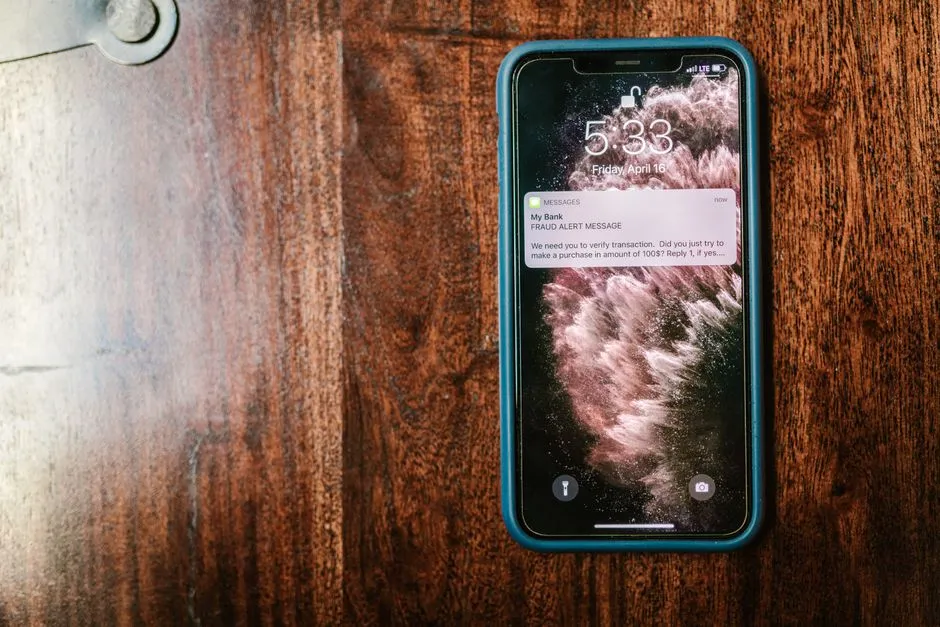
Οι SMS υπενθυμίσεις ραντεβού είναι αυτόματα γραπτά μηνύματα που στέλνει μια επιχείρηση στους πελάτες της πριν από το προγραμματισμένο ραντεβού τους, ώστε να μην το ξεχάσουν. Όταν ο πελάτης κλείνει ραντεβού, ένα σύστημα διαχείρισης κρατήσεων στέλνει αυτόματα ένα μήνυμα — συνήθως 24 ώρες και ξανά λίγες ώρες πριν — με την ημερομηνία, την ώρα και το όνομα της επιχείρησης. Επειδή τα SMS διαβάζονται σχεδόν πάντα και αμέσως, μειώνουν δραστικά τις ακυρώσεις (no-shows) και κοστίζουν μόλις λίγα λεπτά ανά μήνυμα.
Πόσο Κοστίζουν Πραγματικά οι Ακυρώσεις (No-Shows)
Κάθε ραντεβού που χάνεται δεν είναι απλώς ένα κενό στο ημερολόγιο — είναι χαμένα έσοδα που δεν αναπληρώνονται ποτέ. Χωρίς σύστημα υπενθυμίσεων, ένα μέρος των ραντεβού χάνεται κάθε μήνα σε no-shows και ακυρώσεις της τελευταίας στιγμής. Για μια μικρή επιχείρηση, αυτό μπορεί να σημαίνει σημαντικά χαμένα έσοδα μέσα στον χρόνο.
Σκέψου το απλά: αν δέχεσαι 20 ραντεβού την ημέρα με μέση αξία €30 και χάνεις το 15%, αυτό είναι 3 χαμένα ραντεβού ημερησίως = €90/μέρα = περίπου €2.000 τον μήνα σε χαμένα έσοδα. Αυτές οι ώρες δεν επιστρέφουν. Ο χρόνος του προσωπικού πληρώνεται, αλλά κανείς δεν κάθεται στην καρέκλα. Πέρα από τα έσοδα, οι ακυρώσεις διαλύουν το πρόγραμμα του προσωπικού και αδειάζουν θέσεις που θα μπορούσαν να πάνε σε πελάτες της λίστας αναμονής.
Γιατί οι SMS Υπενθυμίσεις Κερδίζουν Email & Τηλέφωνο
Όταν μιλάμε για επικοινωνία με τον πελάτη, δεν είναι όλα τα κανάλια ίδια. Τα SMS διαβάζονται σχεδόν πάντα και σχεδόν αμέσως μετά την παραλαβή. Συγκριτικά, τα emails ανοίγονται πολύ πιο σπάνια και συχνά καταλήγουν στα ανεπιθύμητα.
- Email — χαμηλό ποσοστό ανοίγματος, εύκολα ξεχνιέται ή πάει στα spam. Λειτουργεί για ενημερωτικά, όχι για επείγουσες υπενθυμίσεις.
- Τηλεφώνημα — αποτελεσματικό αλλά απίστευτα χρονοβόρο. Σε μια επιχείρηση με 20+ ραντεβού/μέρα, το προσωπικό δεν προλαβαίνει να καλέσει τον καθένα.
- Push notifications — απαιτούν εγκατεστημένη εφαρμογή, κάτι που οι περισσότεροι πελάτες δεν έχουν.
- SMS — διαβάζεται σχεδόν πάντα, φτάνει σε κάθε κινητό χωρίς app, διαβάζεται σχεδόν αμέσως. Ο νικητής για υπενθυμίσεις ραντεβού.
Πώς Λειτουργούν οι Αυτόματες Υπενθυμίσεις SMS
Ένα σύγχρονο σύστημα SMS υπενθυμίσεων δουλεύει εντελώς αυτόματα. Όταν ένας πελάτης κλείνει ραντεβού — είτε online είτε μέσω του προσωπικού — η πλατφόρμα καταγράφει την ημερομηνία και την ώρα. Στη συνέχεια, σε προκαθορισμένα χρονικά σημεία, στέλνει αυτόματα ένα SMS με τις λεπτομέρειες. Δεν χρειάζεται κανείς να θυμηθεί ή να πατήσει κάποιο κουμπί, και δεν χρειάζεται ξεχωριστή εφαρμογή — το μήνυμα φτάνει στο κανονικό inbox μηνυμάτων κάθε κινητού.
Ένα καλό μήνυμα είναι σύντομο, προσωπικό και ξεκάθαρο: "Γεια σου Μαρία! Υπενθύμιση για το ραντεβού σου αύριο στις 15:00 στο Salon Bella. Για αλλαγή, κάλεσε 22-XXXXXX." Το όνομα, η ώρα, η τοποθεσία και μια σαφής οδηγία (call-to-action) — αυτό αρκεί.
Χρόνοι Αποστολής & Καλές Πρακτικές
Ο χρόνος αποστολής έχει τεράστια σημασία. Πολύ νωρίς και ο πελάτης το ξεχνά· πολύ αργά και δεν προλαβαίνει να αναπρογραμματίσει. Η χρυσή τομή που λειτουργεί στους περισσότερους κλάδους είναι ένας συνδυασμός υπενθυμίσεων σε τρία σημεία:
- Επιβεβαίωση κράτησης — άμεσο SMS τη στιγμή που κλείνεται το ραντεβού, ώστε ο πελάτης να έχει γραπτή απόδειξη.
- 7 ημέρες πριν — προαιρετική πρώιμη υπενθύμιση για ραντεβού που κλείνονται πολύ νωρίς, ιδανική σε ιατρεία και υπηρεσίες με μεγάλη αναμονή.
- 24 ώρες πριν — η κύρια υπενθύμιση. Δίνει στον πελάτη χρόνο να επιβεβαιώσει, να ακυρώσει ή να αναπρογραμματίσει, ώστε εσύ να γεμίσεις τη θέση.
- 2 ώρες πριν — μια σύντομη "τελική" υπενθύμιση για όσους ξεχνούν την ίδια μέρα. Ιδανική για επιχειρήσεις με γρήγορο ρυθμό.
Κράτα το μήνυμα σύντομο και προσωπικό: ένα μήνυμα κάτω από 160 χαρακτήρες κοστίζει ένα SMS και διαβάζεται με μια ματιά. Χρησιμοποίησε το όνομα του πελάτη, απόφυγε υπερβολικά "διαφημιστική" γλώσσα και μην στέλνεις πάνω από 2-3 υπενθυμίσεις ανά ραντεβού — η υπερβολή ενοχλεί και αυξάνει τις απεγγραφές.
Έτοιμα Πρότυπα Μηνυμάτων
Δεν χρειάζεται να ξεκινήσεις από το μηδέν. Ορίστε τέσσερα πρότυπα που μπορείς να προσαρμόσεις, με τα πεδία σε αγκύλες να συμπληρώνονται αυτόματα:
- Επιβεβαίωση: "Γεια σου [Όνομα]! Το ραντεβού σου στο [Επιχείρηση] επιβεβαιώθηκε για [Ημ/νία] στις [Ώρα]. Τα λέμε σύντομα!"
- 24ωρη υπενθύμιση: "Υπενθύμιση: ραντεβού αύριο [Ημ/νία] στις [Ώρα] στο [Επιχείρηση]. Απάντησε ΝΑΙ για επιβεβαίωση ή ΟΧΙ για ακύρωση."
- Ίδια μέρα: "Σε περιμένουμε σήμερα στις [Ώρα] στο [Επιχείρηση]. Για οδηγίες ή αλλαγή, κάλεσε [Τηλέφωνο]."
- Ακύρωση/αναπρογραμματισμός: "Λάβαμε την ακύρωσή σου, [Όνομα]. Για να κλείσεις νέο ραντεβού πάτησε [Σύνδεσμος]. Τα λέμε σύντομα!"
Επιβεβαίωση & Ακύρωση με μια Απάντηση
Τα πιο εξελιγμένα συστήματα SMS υπενθυμίσεων επιτρέπουν στον πελάτη να επιβεβαιώσει ή να ακυρώσει απαντώντας στο μήνυμα — π.χ. "Απάντησε ΝΑΙ για επιβεβαίωση ή ΟΧΙ για ακύρωση." Αυτή η αμφίδρομη επικοινωνία (two-way SMS) είναι κρίσιμη: όταν ένας πελάτης ακυρώνει 24 ώρες νωρίτερα, εσύ έχεις χρόνο να καλέσεις κάποιον από τη λίστα αναμονής και να γεμίσεις τη θέση.
Η επιβεβαίωση ραντεβού με SMS δημιουργεί επίσης μια ψυχολογική δέσμευση. Όταν ο πελάτης απαντά ενεργά "ΝΑΙ", είναι πολύ πιο πιθανό να εμφανιστεί παρά αν απλώς δεχτεί παθητικά την υπενθύμιση.
Συναίνεση & Συμμόρφωση (GDPR)
Πριν στείλεις το πρώτο SMS, χρειάζεσαι τη συγκατάθεση του πελάτη. Στην Ευρωπαϊκή Ένωση — άρα και σε Κύπρο και Ελλάδα — ισχύει ο GDPR: ο πελάτης πρέπει να έχει δώσει το κινητό του και να γνωρίζει ότι θα λαμβάνει υπενθυμίσεις. Στην πράξη, αυτό καλύπτεται εύκολα όταν ο ίδιος κλείνει ή επιβεβαιώνει το ραντεβού του.
Δύο απλοί κανόνες σε κρατούν εντός νόμου: στείλε υπενθυμίσεις μόνο σε πελάτες που έχουν ραντεβού μαζί σου (όχι μαζική διαφήμιση χωρίς opt-in), και δώσε πάντα έναν εύκολο τρόπο απεγγραφής (opt-out). Οι υπενθυμίσεις ραντεβού είναι λειτουργικά (transactional) μηνύματα, οπότε είναι από τα πιο ασφαλή είδη SMS που μπορείς να στείλεις.
Αισθητή Μείωση των No-Shows
Τα αποτελέσματα είναι αισθητά. Επιχειρήσεις που εφαρμόζουν αυτόματες υπενθυμίσεις SMS αναφέρουν σημαντική μείωση των no-shows και των ακυρώσεων της τελευταίας στιγμής. Το ακριβές όφελος εξαρτάται από τον κλάδο και το πελατολόγιό σου.
Ο λόγος είναι απλός: η συντριπτική πλειονότητα των no-shows δεν είναι κακοπροαίρετες — είναι απλώς ξεχασιάρηδες πελάτες. Μια έγκαιρη υπενθύμιση για χαμένα ραντεβού λύνει ακριβώς αυτό το πρόβλημα, μετατρέποντας τη "λήθη" σε εμφάνιση ή, στη χειρότερη, σε έγκαιρη ακύρωση που σου αφήνει χρόνο αντίδρασης.
Πόσο Κοστίζει ένα Σύστημα SMS Υπενθυμίσεων
Εδώ τα πράγματα γίνονται ενδιαφέροντα. Το λογισμικό υπενθυμίσεων ραντεβού παραδοσιακά χρεώνει μηνιαίο πάγιο (ενδεικτικά γύρω στα €30-150 — έλεγξε τους τρέχοντες όρους κάθε παρόχου), ανεξάρτητα από το πόσο το χρησιμοποιείς. Επιπλέον, χρεώνεσαι και τα ίδια τα SMS. Για μια μικρή επιχείρηση, αυτό το πάγιο είναι συχνά δυσανάλογο.
Το πραγματικό κόστος ενός SMS ξεκινά από €0,06 ανά μήνυμα. Αν στέλνεις 400 υπενθυμίσεις τον μήνα, μιλάμε για περίπου €24 σε SMS. Το ερώτημα είναι: γιατί να πληρώνεις και πάγιο από πάνω;
Πώς το Κάνει το Wiiz
Το Wiiz αναποδογυρίζει το μοντέλο. Η πλατφόρμα διαχείρισης ραντεβού — με online κρατήσεις, ημερολόγιο, πελατολόγιο και λίστα αναμονής — είναι εντελώς δωρεάν. Δεν υπάρχει μηνιαίο πάγιο και καμία προμήθεια ανά κράτηση. Πληρώνεις μόνο τα SMS που πραγματικά στέλνεις, από €0,06/SMS.
Αυτό σημαίνει ότι αποκτάς ένα πλήρες σύστημα SMS υπενθυμίσεων με αυτόματες υπενθυμίσεις 24 ωρών και 2 ωρών, επιβεβαίωση κράτησης, και μαζικές καμπάνιες — χωρίς να δεσμευτείς σε κάποια ακριβή συνδρομή. Το Wiiz υποστηρίζει πλήρως Κύπρο και Ελλάδα, με ελληνικό περιβάλλον και τοπική τιμολόγηση SMS.
Συμπέρασμα
Οι SMS υπενθυμίσεις ραντεβού δεν είναι πολυτέλεια — είναι από τις πιο αποδοτικές επενδύσεις που μπορεί να κάνει μια επιχείρηση με ραντεβού. Καθώς τα SMS διαβάζονται σχεδόν πάντα και σχεδόν αμέσως, μειώνουν αισθητά τα no-shows με κόστος μόλις λίγων λεπτών ανά μήνυμα. Με το Wiiz ξεκινάς δωρεάν, χωρίς πάγιο, και πληρώνεις μόνο όσα στέλνεις. Σταμάτα να χάνεις έσοδα από ξεχασμένα ραντεβού.
Συχνές ερωτήσεις
Πόσο κοστίζουν οι SMS υπενθυμίσεις ραντεβού;
Το κόστος ενός SMS ξεκινά από €0,06 ανά μήνυμα. Πολλές πλατφόρμες προσθέτουν και μηνιαίο πάγιο (ενδεικτικά γύρω στα €30-150 — έλεγξε τους τρέχοντες όρους). Με το Wiiz δεν υπάρχει πάγιο: πληρώνεις μόνο τα SMS που στέλνεις, από €0,06/SMS — οπότε 400 υπενθυμίσεις τον μήνα κοστίζουν περίπου €24 συνολικά.
Πότε είναι η καλύτερη ώρα να στείλω υπενθύμιση ραντεβού;
Η πιο αποτελεσματική στρατηγική είναι μια υπενθύμιση 24 ώρες πριν (για να προλάβει ο πελάτης να αναπρογραμματίσει) και μια σύντομη "τελική" 2 ώρες πριν. Πρόσθεσε άμεση επιβεβαίωση τη στιγμή της κράτησης και, για ραντεβού που κλείνονται νωρίς, μια υπενθύμιση 7 ημερών.
Χρειάζομαι ειδική εφαρμογή ή λογισμικό για να στέλνω SMS υπενθυμίσεις;
Ο πελάτης δεν χρειάζεται καμία εφαρμογή — το SMS φτάνει στο κανονικό inbox κάθε κινητού. Εσύ χρειάζεσαι μια πλατφόρμα κρατήσεων που στέλνει αυτόματα τις υπενθυμίσεις. Το Wiiz το κάνει αυτό ενσωματωμένα, χωρίς Zapier ή τρίτα εργαλεία.
Είναι νόμιμες οι SMS υπενθυμίσεις; Χρειάζομαι συγκατάθεση;
Ναι, είναι νόμιμες. Σε Κύπρο και Ελλάδα ισχύει ο GDPR: χρειάζεσαι τη συγκατάθεση του πελάτη, η οποία καλύπτεται όταν ο ίδιος δίνει το κινητό του και κλείνει ραντεβού. Στέλνε μόνο σε πελάτες με ραντεβού και πρόσφερε πάντα εύκολη απεγγραφή (opt-out).
Πόσο μειώνουν τις ακυρώσεις (no-shows) οι SMS υπενθυμίσεις;
Επιχειρήσεις που χρησιμοποιούν αυτόματες υπενθυμίσεις SMS αναφέρουν αισθητή μείωση των no-shows, γιατί οι περισσότερες ακυρώσεις οφείλονται απλώς σε λήθη. Το ακριβές όφελος εξαρτάται από τον κλάδο και το πελατολόγιό σου.
Τι πρέπει να γράφει μια υπενθύμιση ραντεβού;
Κράτα το σύντομο και ξεκάθαρο: όνομα πελάτη, όνομα επιχείρησης, ημερομηνία και ώρα, τοποθεσία και μια σαφή οδηγία (π.χ. "απάντησε ΝΑΙ για επιβεβαίωση" ή ένα τηλέφωνο για αλλαγή). Κάτω από 160 χαρακτήρες, ώστε να κοστίζει ένα μόνο SMS.
Δοκίμασε τις δωρεάν SMS υπενθυμίσεις του Wiiz
Ξεκίνα δωρεάν με το Wiiz: online κρατήσεις, ημερολόγιο ραντεβού και αυτόματες SMS υπενθυμίσεις από €0,06/SMS, χωρίς μηνιαίο πάγιο.
Ανακάλυψε το WiizΞεκινήστε Δωρεάν Σήμερα
Κάνε εγγραφή στο Wiiz και ξεκίνα να στέλνεις αυτόματες SMS υπενθυμίσεις ραντεβού. Από €0,06/SMS. Χωρίς πάγιο, χωρίς δέσμευση.
Δημιούργησε Δωρεάν Λογαριασμό